 Ember
EmberDownload the ground before the bars drop.
Frame an area on Ember’s map and download it while you have signal. The satellite view of it is still on your phone when you don’t.
Ember’s offline maps save satellite imagery of an area you choose, plus your saved zones and markers, to your phone. When your signal drops, Ember switches to the saved area. Downloads are part of Pro and work in the iPhone and Android apps, not the web app.


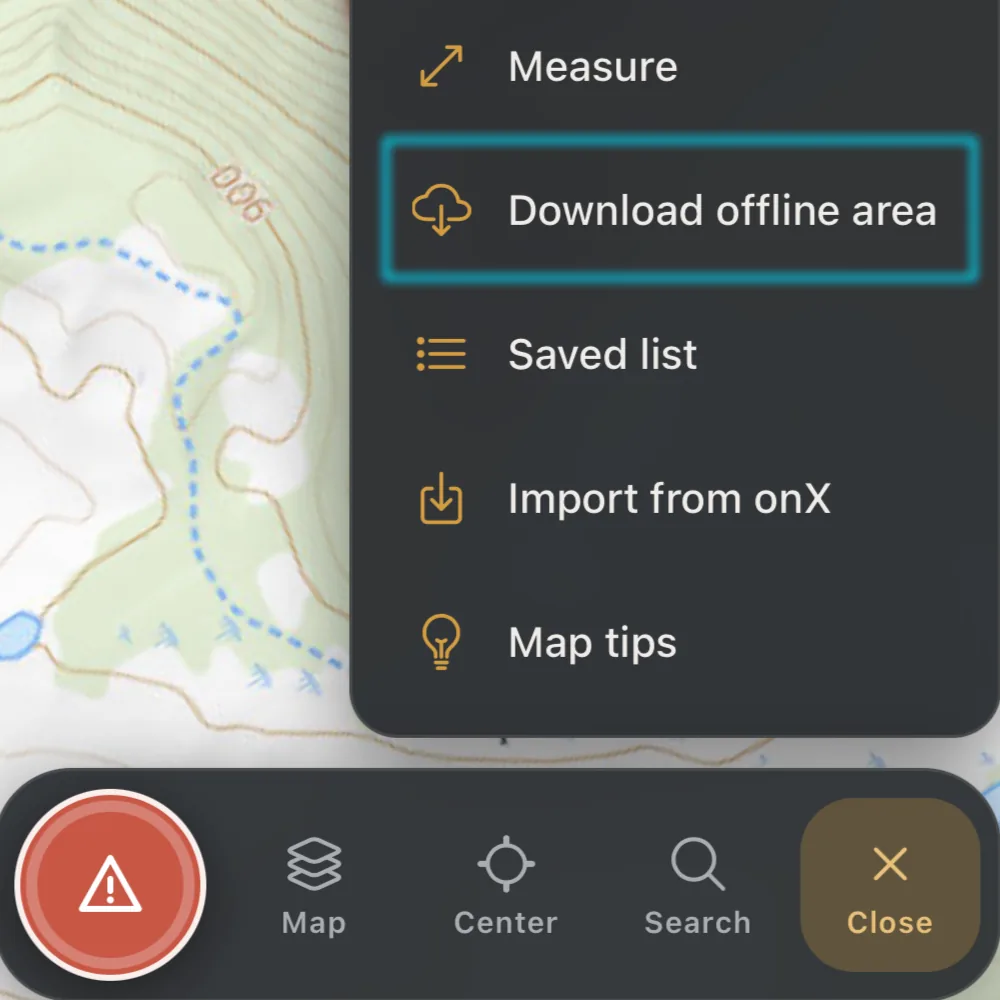
Four steps, done at the truck.
Open Create, pick Download offline area
Ember draws a box around your active property with a little room to spare. With no property boundary, it starts from the part of the map you are looking at.
Fit the box to your ground
Drag the corners or move the box. A live readout shows roughly how many tiles and how many megabytes it will take, and Reset to property snaps it back.
Name it and download
The sheet defaults the name to your property, repeats the estimate and spells out what you are and aren’t getting. Tap Download and keep using the map: a progress chip shows how far along it is.
Lose signal, keep the map
After about two seconds with no connection, Ember swaps to the saved imagery for the area your map is over and tells you which one. When you are back online, the normal map returns.
Exactly what you get, and what you don’t.
Every line is stamped with where it stands today, so nothing here is a promise dressed up as a feature.
- In the app
Satellite imagery of your area
Saved on the phone up to zoom level 16, so you can zoom in on the ground you picked.
- In the app
Your saved zones and markers
The area comes with your saved zones and up to your most recent markers.
- In the app
Dropping a marker with no signal
A marker you place offline is kept on the phone and sent when you reconnect.
- Coming
Topographic and road maps
The download sheet says these base maps are coming later. Today it is satellite only.
- Not offline
Roads and labels
The offline map is imagery only, with no roads or labels on it.
- Not offline
Layers that load from the network
While the offline map is showing, Ember switches off property lines, public lands, live radar, LiDAR, terrain and slope, among others.
- Not offline
Breakdown scoring
Scoring needs live weather and terrain data. It updates when you are back online.
Outside a downloaded area, or zoomed in past its detail, the map is still blank without a connection.
How long it lasts, and how much fits.
- Size
- Each area is capped at 500 MB and all your areas share a 2 GB allowance on the phone. If your box is too big, Ember says how much to shrink it before anything downloads.
- One at a time
- Ember downloads one area at a time. Start another and it asks you to wait for the first to finish.
- Thirty days
- A saved area expires after 30 days, a limit from the map provider’s terms. Reconnect and refresh to renew it. Ember offers a refresh when an area is within five days of expiring, and an expired area frees up its imagery.
- Stop and finish later
- Stop a download and the imagery already saved is kept. Ember asks if you want to finish it the next time you open the map with a connection.
- Manage your areas
- Under Layers, the Offline maps list shows how much storage you are using and each area’s status, such as Ready offline, Partial or Expired. You can rename, refresh or delete an area from there.
- Pro, on your phone
- Downloading is part of Ember Pro, and the free trial counts. It works in the iPhone and Android apps. In the web app the button is disabled and marked mobile app only.
Questions about Ember’s offline maps
What does Ember save when I download an offline area?
Satellite imagery for the box you frame, up to zoom level 16, plus your saved zones and your most recent markers. Roads and labels are not part of it: the offline map is imagery only.
Are offline maps part of Pro?
Yes. Downloading an area needs Ember Pro, and the free trial counts. On a free account, tapping Download offline area shows the upgrade screen instead.
Do property lines, public land and terrain layers work offline?
Not on the offline map. While it is showing, Ember switches off the layers that load from the network, including property lines, public lands, live radar, LiDAR, terrain and slope. Your saved zones and markers still come with the area.
How long does a downloaded area last?
Thirty days, a limit that comes from the map provider’s terms. Reconnect and refresh an area to renew it. Ember offers a refresh when an area is within five days of expiring.
How big can an area be?
Each area is capped at 500 MB, and all your areas together share a 2 GB allowance on the phone. If your box is too big, Ember tells you how much to shrink it before it downloads anything.
Can I download maps from the web app?
No. Offline downloads work in the Ember iPhone and Android apps. In the web app the button is disabled and marked mobile app only.
Download it at the truck, hunt it in the timber.
Get Ember on your phone, frame your ground and save it before you head in.
Every line on this page was checked against the app on October 9, 2026.